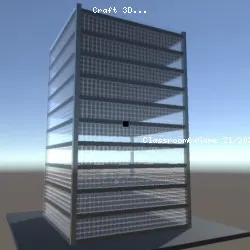
Craft 3D - A Free Game
Benjamin Man • 96.5K Plays • 963K Views • star 4.3 (1.5K)
All
Device
Landscape
Orientation
1.5K ratings
Rate This Game
gamepad How to Play Craft 3D
Controls
- WASD or Arrows Keys: move
- R: move up
- F: move down
- Mouse: look
- Left click: create blocks
- Right click: destroy blocks
- In floor duplicator, press P to duplicate
- X: return home
Block Color Selection
- 0: Grey
- 1: Black
- 2: White
- 3: Red
- 4: Green
- 5: Blue
- 6: Yellow
info About Craft 3D
Discover Craft 3D and enjoy exciting moments of gameplay. Those interested in Safe School Games may want to try Craft 3D.
Craft 3D serves as a representative Adventure, Sandbox, Minecraft, 3D, Building, Block example within the Free School Games collection. Play Craft 3D and discover more exciting games.
Craft 3D is a Minecraft-inspired sandbox game in which you can explore and build different 3D worlds. Use the building generator to make large buildings and skyscrapers in a matter of seconds. Make a tall and unique building with the floor duplicator by only building the first floor and duplicating it. You can also use the terrain generator to play around with pre-made objects.Release Date
July 2020Developer
Craft 3D was developed by Benjamin Man.Platform
Web browserTechnology
Related Games
 verified
Electron Dash
 verified
Rally Point
 verified
Super Star Car
 verified
Nugget Royale
 verified
Striker Dummies
 verified
8 Ball Pool
 verified
Blocky Trials
 verified
Fleeing the Complex
 verified
Drift Hunters
 verified
Stealing the Diamond
 verified
Horror Nights Story
 verified
Ducklings
 verified
Super Bike The Champion
 verified
Madalin Stunt Cars 2
 verified
GrindCraft
 verified