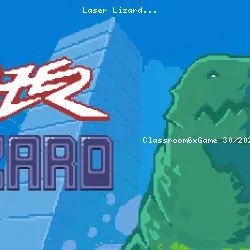
Laser Lizard Popular Game Experience
matteosilvestro • 29.7K Plays • 235.3K Views • star 4.3 (3.4K)
All
Device
Landscape
Orientation
3.4K ratings
Rate This Game
gamepad How to Play Laser Lizard
Controls
Keyboard
- Z = smash attack
- X = ground smash attack
- Hold Space = jump and stomp
- Hold C = laser (Use up arrow key / W and down arrow key / S to set the angle)
- Left arrow key / A = move left
- Right arrow key / D: Move right
Gamepad (Xbox / PS)
- X / square = smash attack
- Y / triangle = ground smash attack
- Hold A / cross = jump and stomp
- Hold B / circle = laser (up and down / D-pad to set the angle)
- Left and right (D-pad) = move and trample
Laser Lizard also supports touchscreen, if you are on mobile you should see virtual buttons with the same layout as the gamepads.
info About Laser Lizard
Play online and join thousands of active players worldwide. The game runs smoothly even on basic school computers.
unity plays an important role in helping Laser Lizard maintain stable performance. The title expands the gameplay possibilities within Classroom 6X Games for School.
Laser Lizard is an arcade game to spread panic through the street, smash buildings, burn everything with laser, and destroy everything you see including the army who sent to kill you. Raise the rampage bar as much to the maximum to enter Shin mode where you will become dangerously powerful for a while.
Release Date
February 2022 School Unblocked Games.
Developer
matteosilvestro developed this game.
Credits
- spaghetti: Design, vfx
- MattLovelace: Dev
- francescodipietro82: Concept, pixel art, art direction
- Khlavem Productions: OST, sfx
- Robin: Sfx, additional audio design
Platform
Web browser (desktop and mobile)
Experience Laser Lizard now and discover engaging gameplay. If you liked the style of Laser Lizard, try playing Road of Fury 4 or Roombox Design.
Technology
Related Games
 verified
Electron Dash
 verified
Plactions
 verified
Nugget Royale
 verified
Eggy Car
 verified
Rooftop Snipers
 verified
Drift Boss
 verified
Striker Dummies
 verified
Jumping Clones
 verified
8 Ball Pool
 verified
A Small World Cup
 verified
circloO 2
 verified
House of Hazards
 verified
Duck Life 4
 verified
Blocky Trials
 verified
Death Chase
 verified