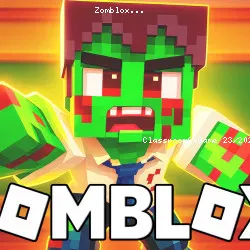
Conquer Shooting, Pixel, 3D, Zombie, Gun, Survival, Block, FPS with Zomblox
mangomangomsk • 24.9K Plays • 172.1K Views • star 4.3 (9.4K)
All
Device
Landscape
Orientation
9.4K ratings
Rate This Game
gamepad How to Play Zomblox
Controls
- WASD = move
- Mouse = look around and shoot
- 1/2/3 = switch weapons
- 4 = throw grenade
- 5 = throw a cat
- E = pick up items
- R = reload
- Space = jump
Mobile
- Left joystick = move
- Swipe = look around
info About Zomblox
Play Zomblox right on Classroom6x Game without needing any extra installation. Zomblox provides a stable online gaming experience for players. The combination of Shooting, Pixel, 3D, Zombie, Gun, Survival, Block, FPS mechanics and Classroom 6X Games for School elements creates an engaging experience.
The game remains a strong entry in the Instant Play Games Online space. Join Zomblox today and discover its engaging gameplay. If you're searching for similar experiences, check out Tower Defense or PolyTrack.
Zomblox is a pixel-packed FPS where meme madness meets zombie survival in a school under siege. Battle through classrooms, pools, and secret vents as you face off against undead classmates—and the zombified teacher herself. Complete missions, uncover hidden secrets, grab wild weapon skins, and rescue your friends in this chaotic, meme-fueled shooter.
Technology
Related Games
 verified
Electron Dash
 verified
Rally Point
 verified
Super Star Car
 verified
Nugget Royale
 verified
Rooftop Snipers
 verified
Striker Dummies
 verified
8 Ball Pool
 verified
A Small World Cup
 verified
Blocky Trials
 verified
Drift Hunters
 verified
Robox
 verified
Horror Nights Story
 verified
12 MiniBattles
 verified
Ducklings
 verified
Super Bike The Champion
 verified