Play Night of the Zombieshrooms Now
• 71.7K Plays • 286.4K Views • star 4.4 (5.5K)
All
Device
Landscape
Orientation
5.5K ratings
Rate This Game
gamepad How to Play Night of the Zombieshrooms
Controls
- Movement = A and D (on mobile devices - right and left arrows on left side)
- Jump = space (on mobile devices - up arrow on left side)
- Mouse= aiming. It only works horizontally. The weapon's vertical position does not change (on mobile devices - joystick on the right side)
- Shooting = left mouse button (on mobile devices - joystick on the right side)
- Reload Weapon = right mouse button (on mobile devices - reload button on the right side)
- Changing weapons = T or you can select a weapon by left-clicking on the weapon icon or by pressing the keys 1 - 5 (on mobile devices - by click on icons)
Using consumables with the keys:
- Bottles of anti-fungal liquid = Q (on mobile devices - by click on icon)
- Mines = E (on mobile devices - by click on icon)
- Dummy = P (on mobile devices - by click on icon)
info About Night of the Zombieshrooms
Night of the Zombieshrooms delivers fast and easily accessible entertainment on Classroom6x Game. The experience offers refined Action, Horde Survival, Zombie, Monster, 2D, Can’t Stop Playing gameplay within the Play Classroom 6X environment.
Night of the Zombieshrooms stands out in the Classroom 6X Homepage space with unique features. Play Night of the Zombieshrooms directly on Classroom6x Game to start the fun without a long wait. Players who enjoy this style of game may find State Wars: Conquer Them All and Battle Simulator: Counter Stickman just as entertaining.
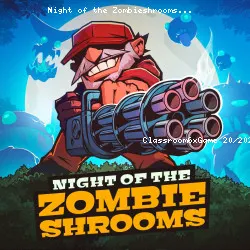
Night of the Zombieshrooms is a 2D action survival game where you must endure relentless waves of monsters outside your home. Armed first with only a revolver, you’ll unlock new weapons, traps, and bullet upgrades as the night unfolds. With 40 waves, two bosses, and a story revealed piece by piece, every in-game hour challenges your tactics, timing, and resource management to survive.
Technology
Related Games
 verified
Plactions
 verified
Rooftop Snipers
 verified
Striker Dummies
 verified
Jumping Clones
 verified
A Small World Cup
 verified
circloO 2
 verified
House of Hazards
 verified
Duck Life 4
 verified
Age Of War
 verified
Robox
 verified
Idle Mining Empire
 verified
Horror Nights Story
 verified
Teleport Jumper
 verified
Rio Rex
 verified
10 Minutes Till Dawn
 verified